
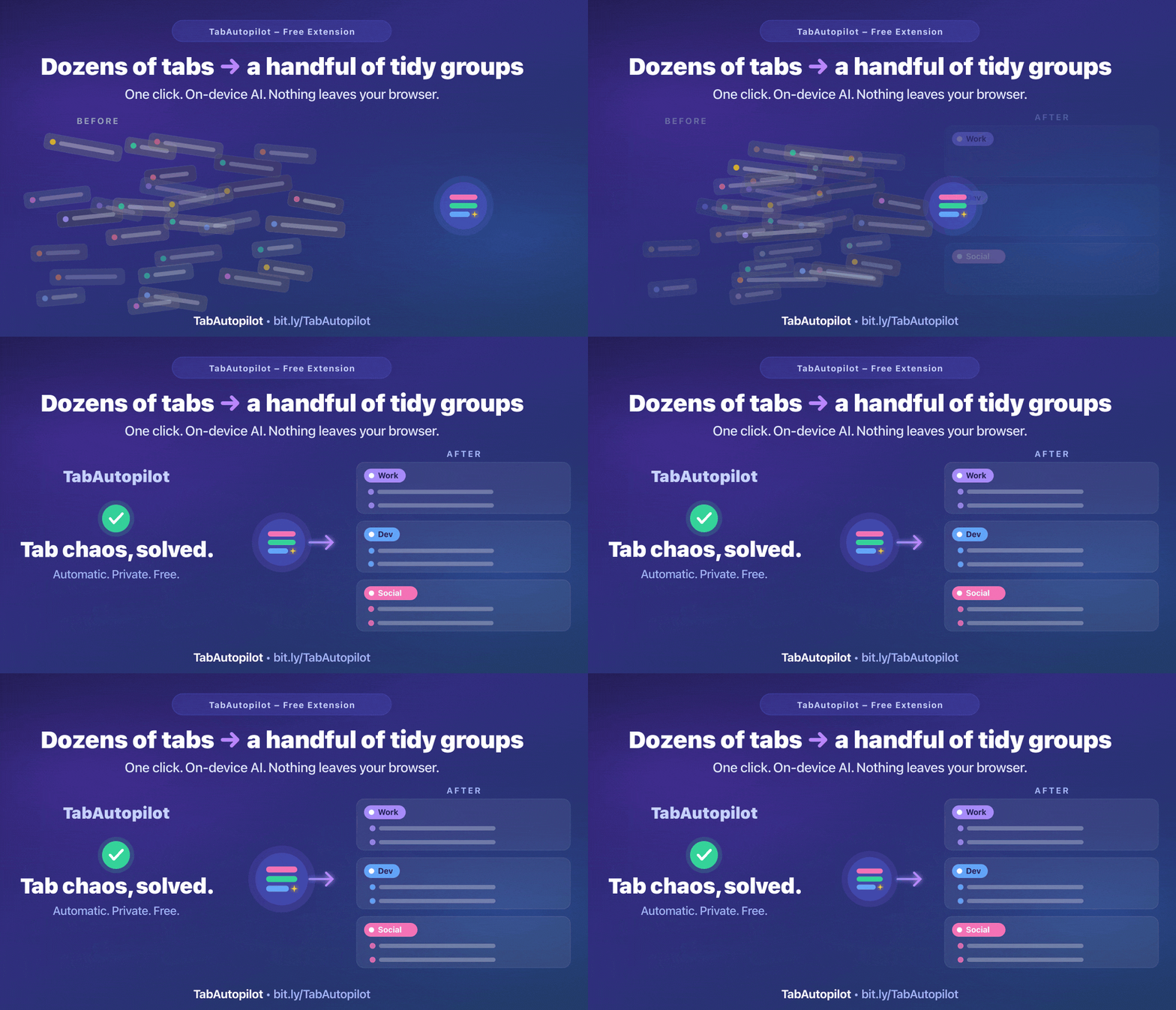
What Tab Autopilot does
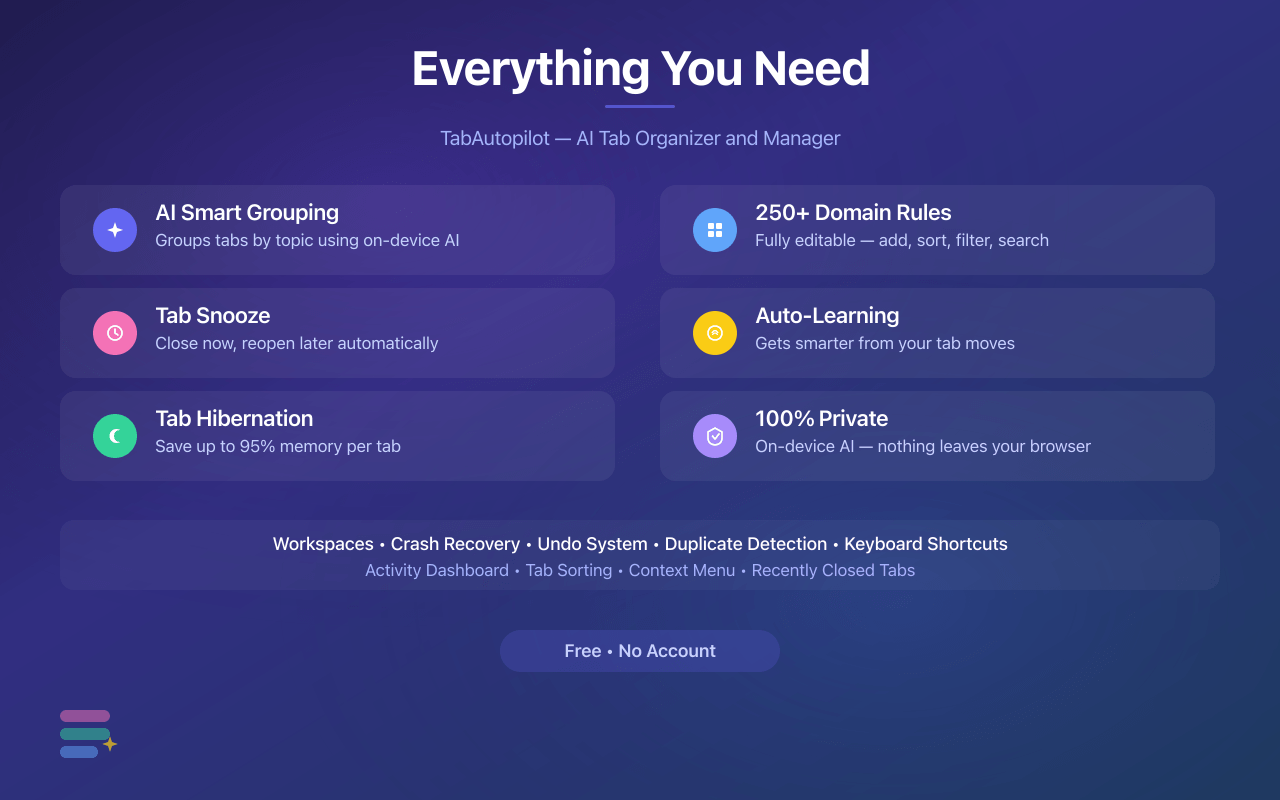
One extension replaces a tab grouper, a tab snoozer, a tab suspender, a duplicate-tab closer and a session manager.
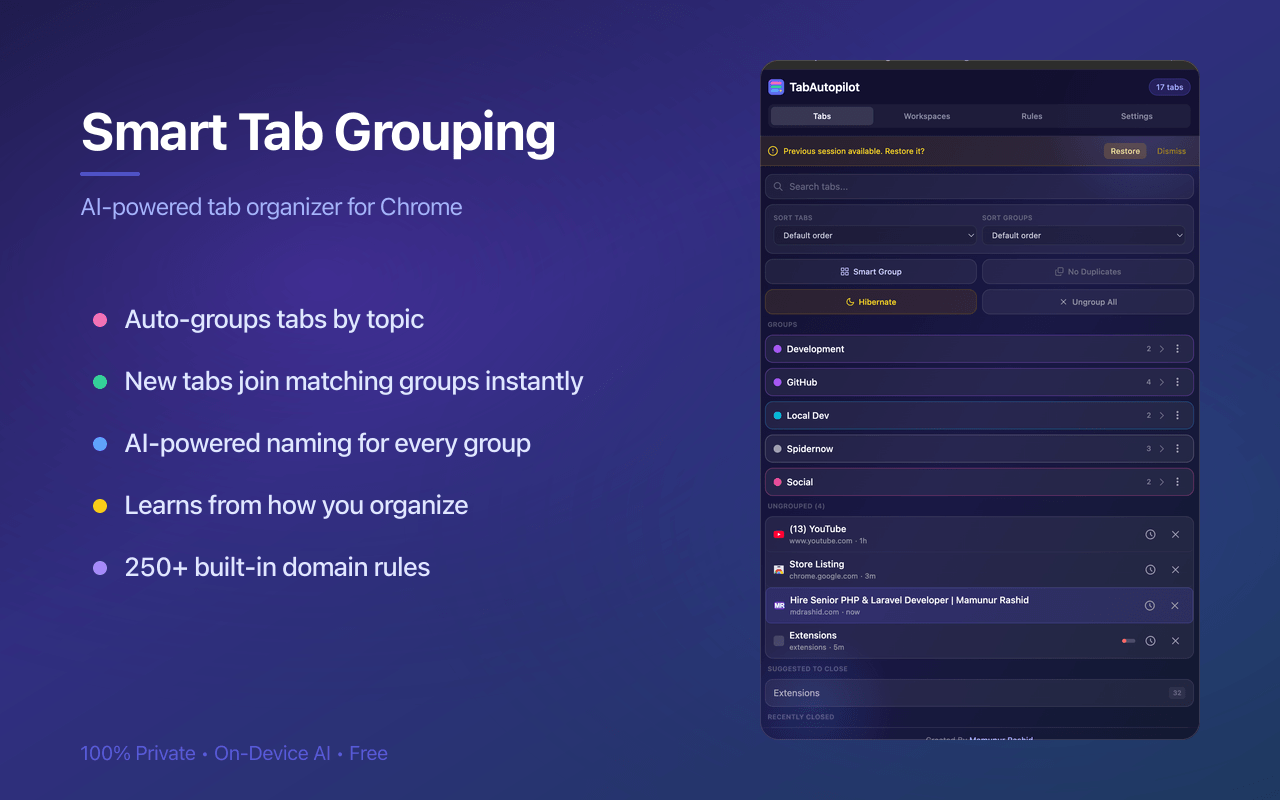
Auto-group tabs by topic
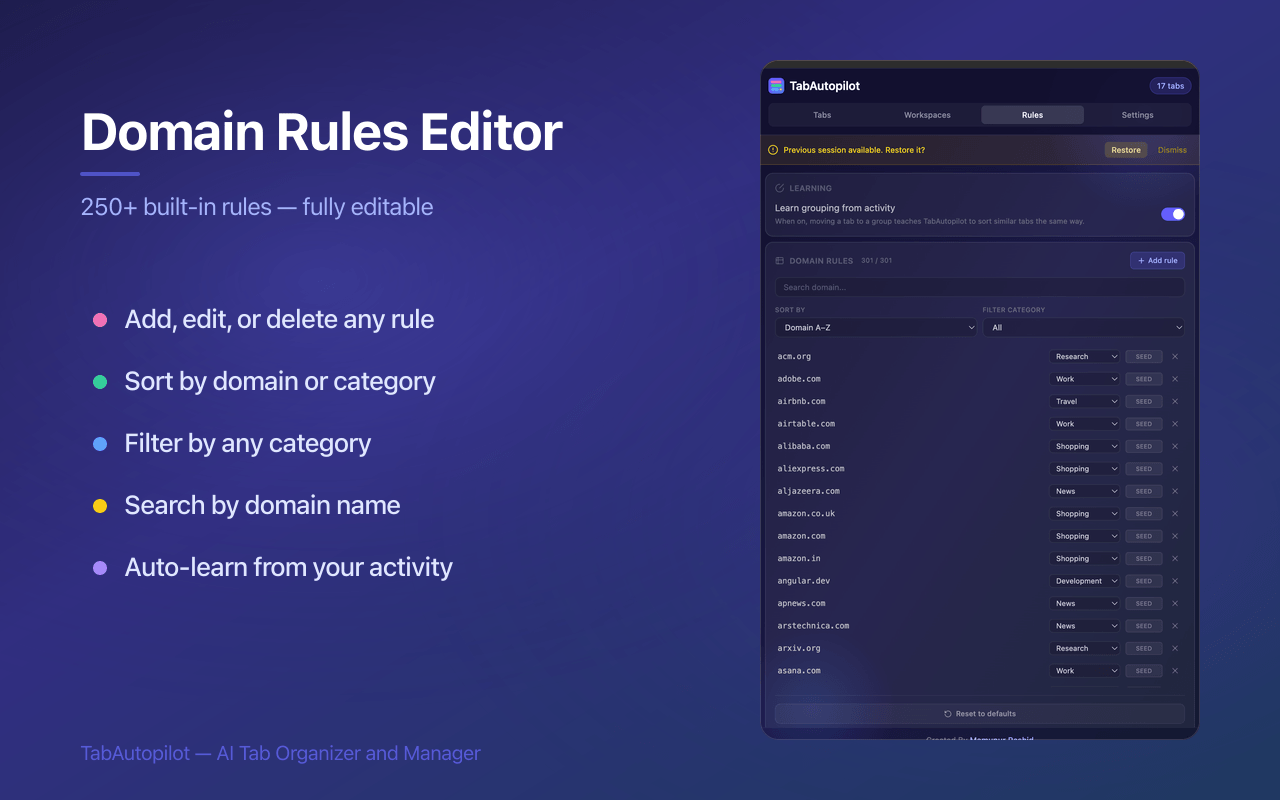
Reads page titles, not just domains, and sorts tabs into real Chrome and Firefox tab groups with meaningful names. 350+ built-in rules, all editable.
Snooze tabs for later
Close a tab now and it reopens on schedule: in an hour, tonight, next Monday, or any time you pick. Whole groups too.
Hibernate inactive tabs
A modern Manifest V3 tab suspender. Frees up to 95% of a tab's memory while keeping it in the tab bar, ready to wake on click.
Close duplicate tabs
Counts duplicates on the toolbar badge and clears them in one click, ignoring tracking parameters so the same page in two URLs still matches.
Workspaces & crash recovery
Save and restore whole sessions with group names, colors and collapsed state. Unlimited workspaces, free, no account.
It learns from you
Move a tab to a different group once and the rule sticks for that domain. Opt-in, off by default, stored only on your device.
Usage statistics
See which sites eat your day. Tracks registrable domains only, never full URLs or titles, and never leaves the browser.
Clear site data
Wipe cache, cookies and history for a single site from the tab's context menu instead of nuking everything.
Undo anything
Grouped the wrong tabs or closed too many? Ctrl+Z inside the panel reverses the last action.
How to auto-group tabs in Chrome or Firefox
Three steps, about thirty seconds. No sign-up, no configuration required.
- Install the extensionAdd TabAutopilot from the Chrome Web Store or Firefox Add-ons. It works on Edge, Brave, Opera, Vivaldi and Arc through the Chrome build.
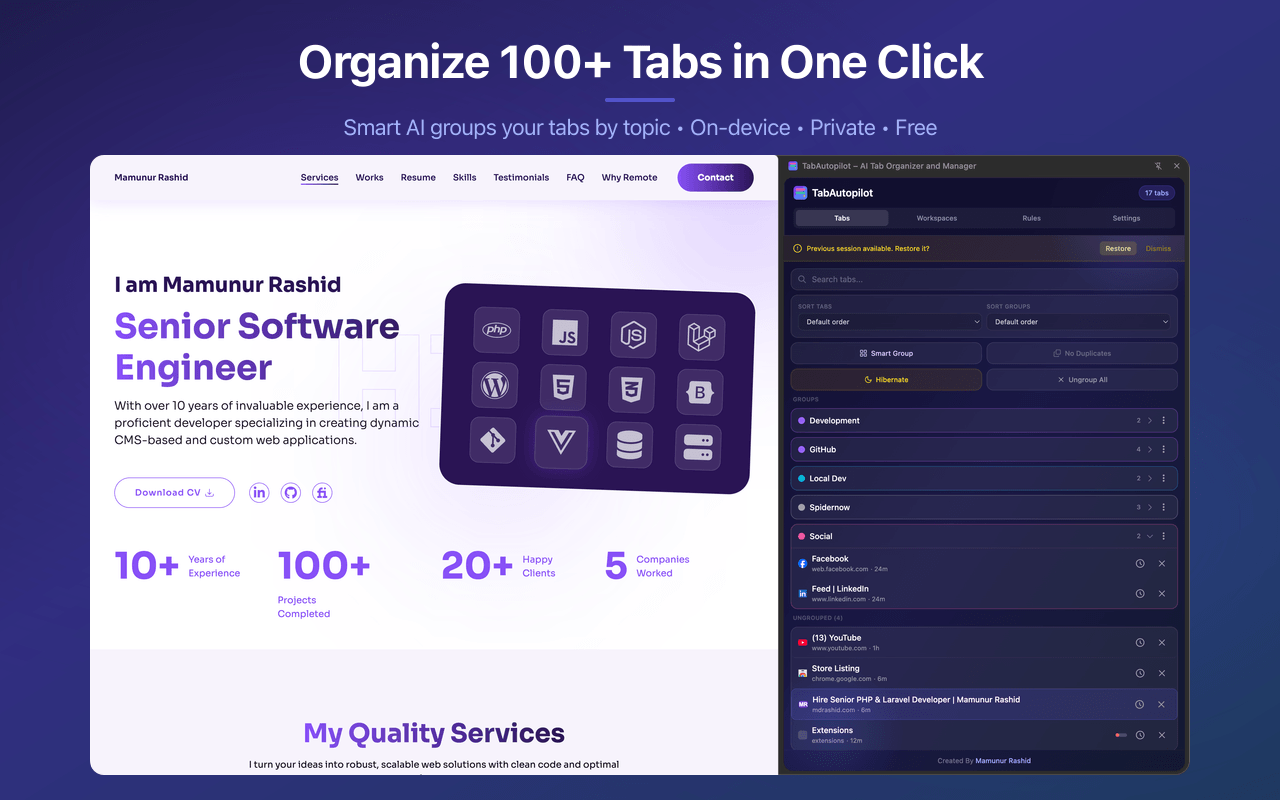
- Press Alt+G or click Smart GroupEvery open tab is sorted into named, colored native tab groups: Work, Development, Shopping, News, Research, Social and more.
- Turn on auto-groupingNew tabs are grouped as you open them. Snooze, hibernation and duplicate closing run in the background from the same side panel.
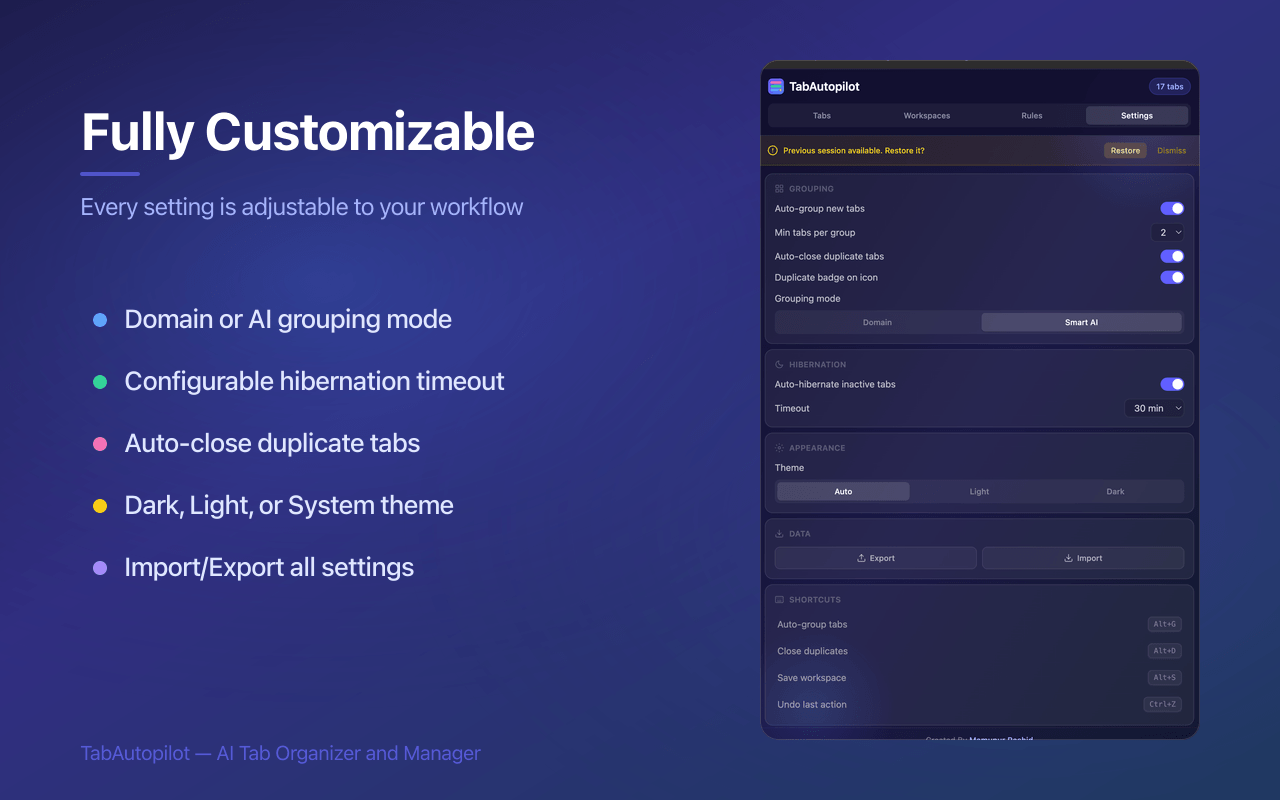
Keyboard shortcuts
| Shortcut | Action |
|---|---|
| Alt+G | Auto-group all open tabs |
| Alt+D | Close all duplicate tabs |
| Alt+S | Save the current session as a workspace |
| Ctrl+Z / Cmd+Z | Undo the last action in the panel |
Shortcuts can be changed on your browser's extension shortcuts page.
Inside the extension
Chrome or Firefox: what's different?
Tab Autopilot ships as two native builds, not one cross-compiled compromise. Each uses its browser's real APIs, so grouped tabs are genuine Chrome tab groups and genuine Firefox tab groups.
| Chrome build | Firefox build | |
|---|---|---|
| Store | Chrome Web Store | addons.mozilla.org |
| Minimum version | Chrome 120 | Firefox 140 |
| Native tab groups | Yes | Yes (Firefox 139+) |
| UI surface | Side panel | Sidebar |
| Topic grouping engine | 350+ rules | 350+ rules |
| On-device AI group naming | Gemini Nano (Chrome 127+) | Rules only |
| Network requests | None | None at all |
| Snooze · hibernate · duplicates · workspaces | Yes | Yes |
| Per-site cache clearing | Yes | Global only |
Also runs on Edge, Brave, Opera, Vivaldi and Arc via the Chrome build. Those use the rule engine, since Gemini Nano is part of Chrome itself. Safari is not supported.
Compared with other tab managers
Most tab extensions do one job. OneTab turns tabs into a list. Suspender extensions only free memory. Chrome's built-in tab groups are manual. TabAutopilot does the grouping for you and keeps the rest in one panel.
| TabAutopilot | OneTab | Tab suspenders | Built-in tab groups | |
|---|---|---|---|---|
| Auto-group by topic into native groups | Yes | No | No | Manual only |
| Snooze tabs to a later time | Yes | No | No | No |
| Hibernate inactive tabs | Yes | No | Yes | No |
| Close duplicate tabs | Yes | Merges on save | No | No |
| Save & restore sessions | Unlimited | Yes | No | Saved groups |
| Firefox version | Native | Yes | Varies | Firefox 139+ |
| Account required | No | No | No | No |
| Price | Free, all features | Free | Varies | Free |
Comparison reflects the general behaviour of each category as of September 2026. Check each product's own page for current details.
Who it's for
Developers
Docs, GitHub, localhost and Stack Overflow land in separate groups. Hibernate the fifty tabs you opened debugging and get your RAM back.
Researchers & students
Papers, sources and notes stay grouped by topic. Save the whole session as a workspace and reopen it next week exactly as it was.
Anyone with 100+ tabs
One shortcut turns a wall of favicons into a handful of named groups. Snooze what you can't deal with today.
Privacy
No account. No server. No analytics. No ads. Categorization is a local rule engine running inside your browser; the Chrome build's optional AI is Chrome's own on-device Gemini Nano, and the Firefox build makes no network requests at all and is declared to Mozilla as collecting no data. Everything you save stays on your machine and is deleted when you uninstall. Read the full privacy policy.
Frequently asked questions
Is Tab Autopilot the same as TabAutopilot?
Yes. The extension is published as TabAutopilot and is commonly written Tab Autopilot as two words. Both names refer to this same free tab manager for Chrome and Firefox.
How do I automatically group tabs in Chrome?
Install TabAutopilot from the Chrome Web Store and press Alt+G, or click Smart Group in the side panel. All open tabs are organized into named, colored Chrome tab groups by topic. Turn on auto-grouping and every new tab is sorted as you browse.
Is there a Firefox version of TabAutopilot?
Yes. TabAutopilot for Firefox is a separate native build on addons.mozilla.org, requiring Firefox 140 or newer on desktop. It uses Firefox's own tabGroups and sidebar_action APIs rather than a compatibility shim.
What is the difference between the Chrome and Firefox versions?
Only the optional AI group-naming layer, which needs Chrome's built-in Gemini Nano, and per-site cache clearing, which Firefox's browsingData API cannot filter by hostname. Grouping, snooze, hibernation, duplicate closing, workspaces and usage stats are identical.
Does TabAutopilot send my browsing data anywhere?
No. Categorization runs entirely on your device. The Chrome build's optional AI is Chrome's built-in Gemini Nano, part of the browser, not an external service. The Firefox build makes no network requests at all. No account, no analytics, no tracking in either build.
Is TabAutopilot a replacement for The Great Suspender?
Yes. TabAutopilot includes a Manifest V3 tab suspender that hibernates inactive tabs after a timeout you choose, freeing up to 95% of a tab's memory while keeping it in the tab bar. Unlike a suspender-only extension it also auto-groups, snoozes and de-duplicates tabs.
How is TabAutopilot different from OneTab?
OneTab collapses your tabs into a single list page. TabAutopilot keeps tabs open and organizes them into the browser's own native tab groups by topic, then adds snooze, hibernation, duplicate closing and workspaces on top. You can still save and close a whole session as a workspace when you want a clean slate.
Does it work on Edge, Brave, Opera or Vivaldi?
Yes. The Chrome build runs on any Chromium browser. On Opera, enable Chrome Web Store extensions first. Those browsers use the rule engine, since Gemini Nano is Chrome-only.
Is TabAutopilot free?
Yes. Every feature, unlimited workspaces, no premium tier and no account, on both browsers.
What keyboard shortcuts does TabAutopilot have?
Alt+G auto-groups all tabs, Alt+D closes all duplicate tabs, Alt+S saves the current workspace, and Ctrl+Z or Cmd+Z undoes the last action inside the panel. Shortcuts can be changed on the browser's extension shortcuts page.
Tame your tabs in one click
Free forever. No account. Nothing leaves your browser.